

You may have set a Twitter username years ago that you may have thought was funny, but thinking about it now, it’s not that great anymore. Here’s how to change it.
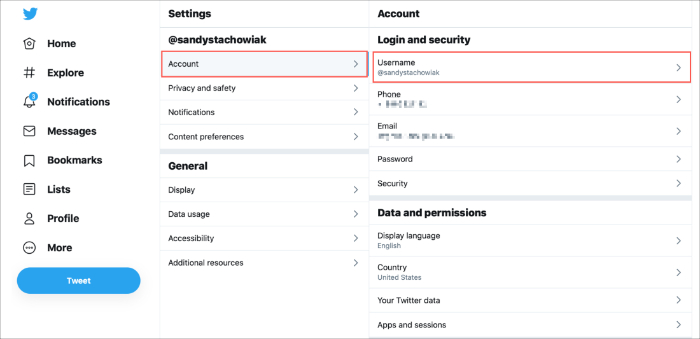
How to do it
- Open Twitter on your computer/mobile/tablet
- Go to settings
- Go to your account
- Account information
- Username
- Type in the username you would like to change it to
- Press save

