

Here we are in the modern day with macOS 12. Let’s go back in time to the 1990s and run virtual installations of System 7 and Mac OS 8 without taking up any storage in any browser.
There’s a problem with this though, these virtual installations run at the speed of Macs in 2020.
How to do it
- Open a browser
- Go to either System7.app or macos8.app
- That’s it!
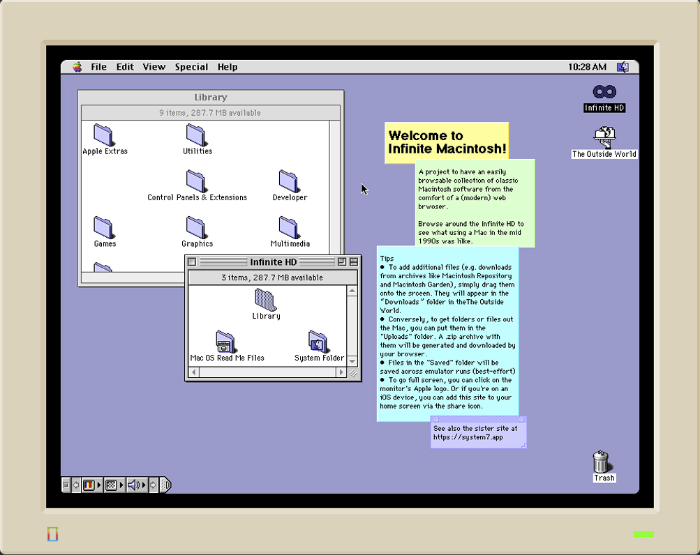
Because of the world we live in today, virtual machines run faster than they would’ve in the 1990s. This isn’t the first time this has been made. You could’ve run macOS 8 via the Basilisk ll emulator. That was a Mac app with a screen that seemed tiny on a modern Mac.
For #MARCHintosh2022 I’m launching two web-based classic Mac emulators: https://t.co/ENVg0cD75u and https://t.co/Kuyjc0HzWI.
— Mihai Parparita (@mihai) April 1, 2022
They boot instantly, are filled with useful programs, allow data import, export and persistence, and try to bring the best of the web to retrocomputing. pic.twitter.com/tLgt7DisEF
There is no installation required for this. Though there have been other things like this in the past, they all required a certain download. Mihai has a link for the technical details, which is here.

