

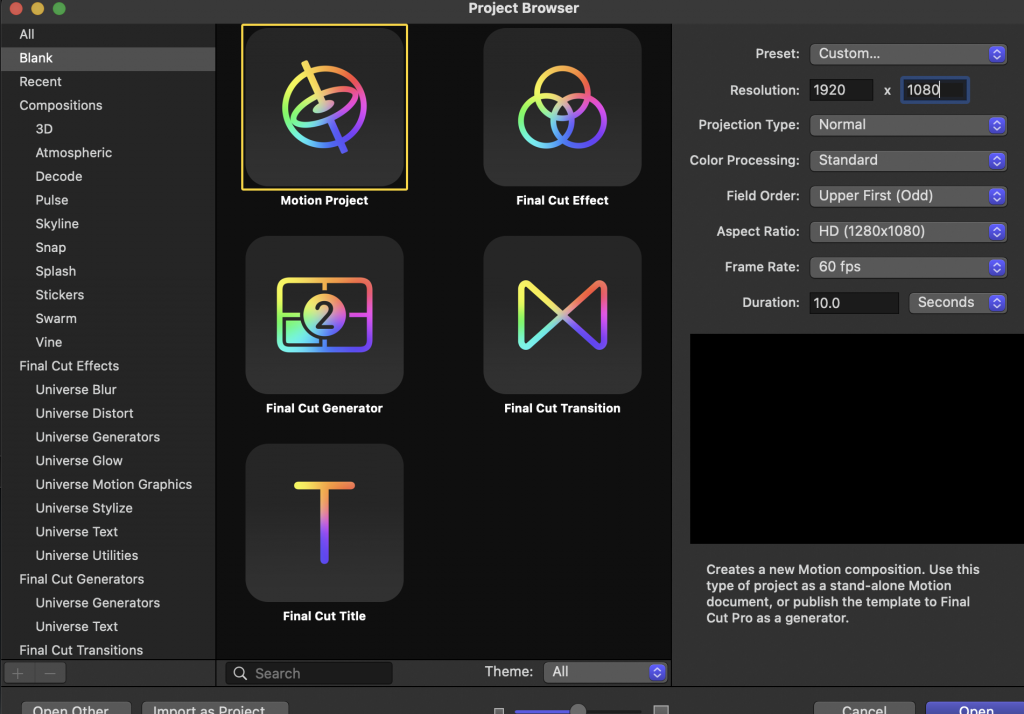
To start, have your video that you would like to play motion tracked on, and create a new project in Apple Motion.
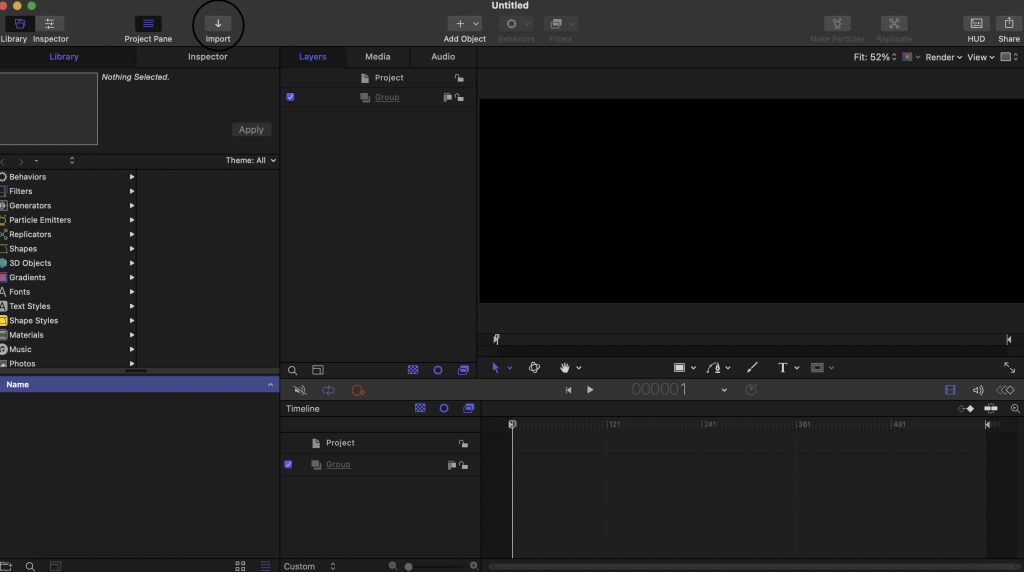
Once you have created a new project, import your video.
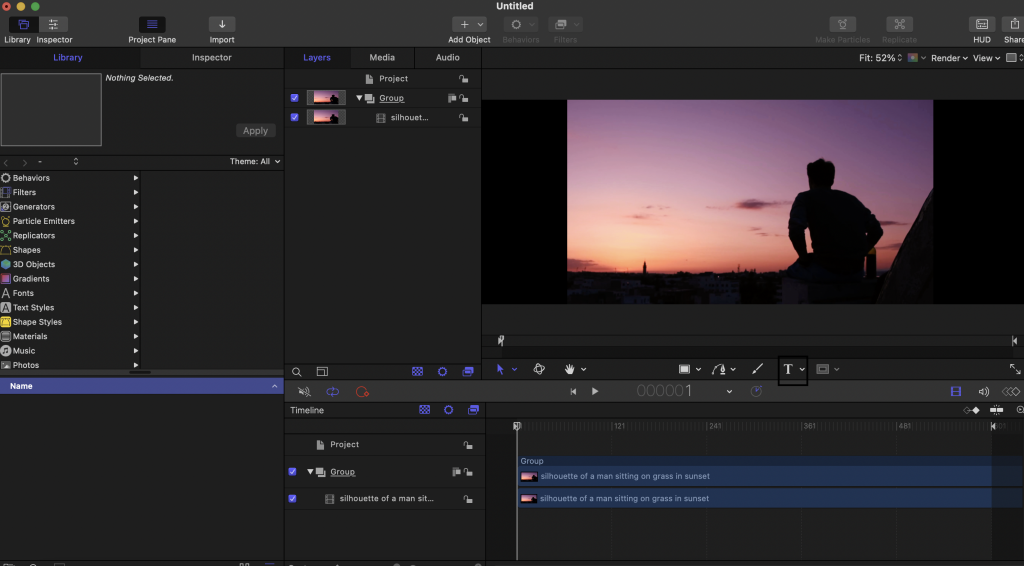
Next, add your desired text.
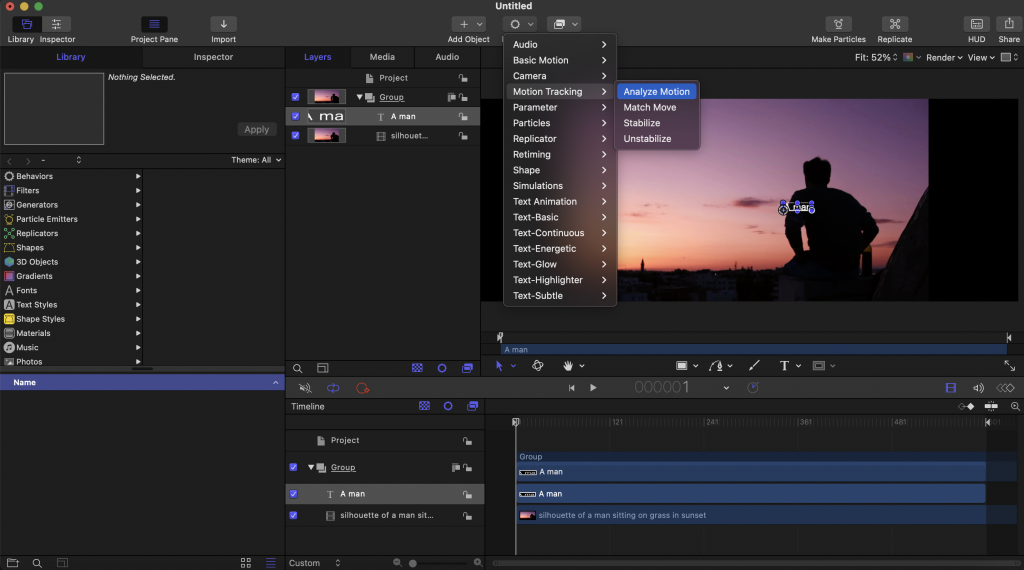
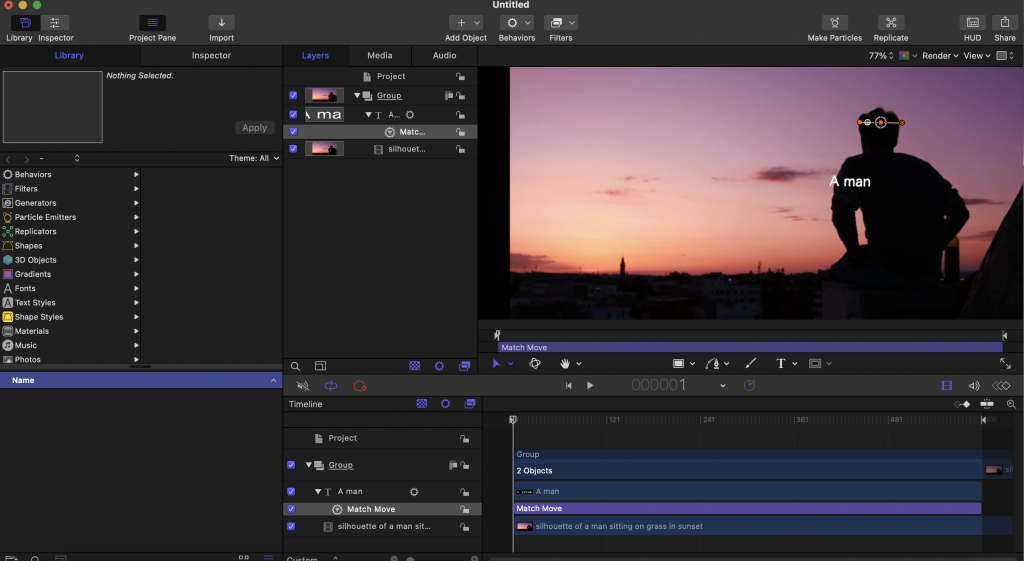
After adding your text, choose Behaviors, and Match Move.
Now, readjust the orange square until it is level with what you are match moving. Please note that the background and the subject matter.
Now, go into the inspector tab, and select Position and Scale as only on. To finalize, click Analyze.
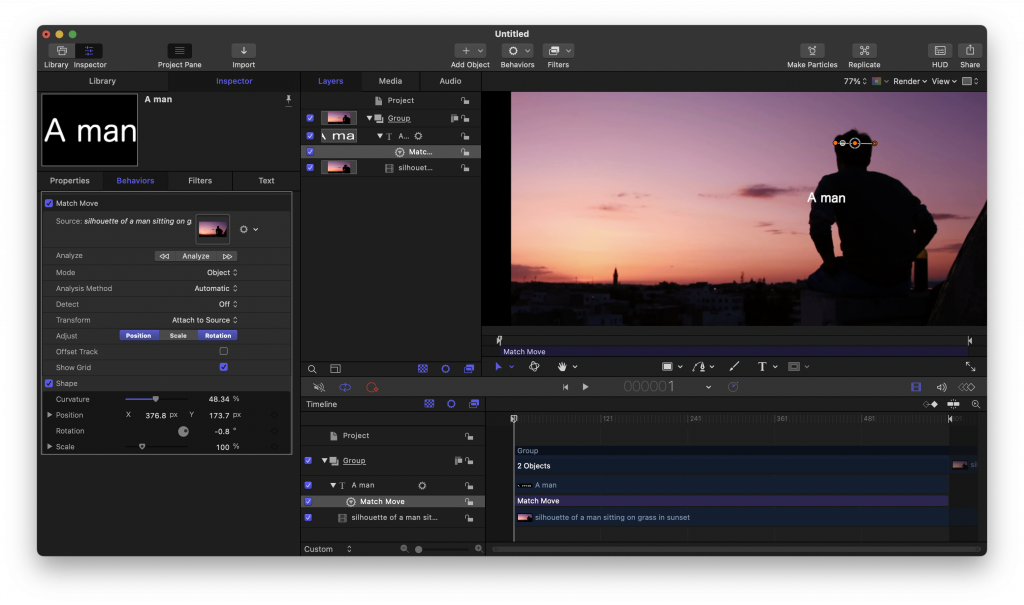
Be sure that you are at the start of the video when doing this. That’s it!

